Dadbot: Integrating Playful Robotics into Modern Design
Understanding Full-Color SVG Typography
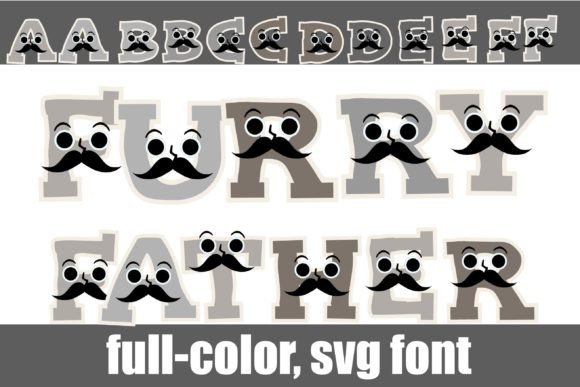
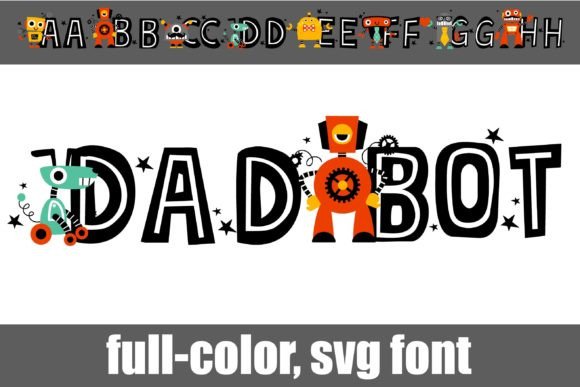
One of the standout features of this asset is its versatility through the system's character map. The standard font provides a vibrant default look, but the alternate version unlocks additional colors for all letters. Because Dadbot is PUA encoded, accessing these amazing glyphs and ligatures is seamless. You do not need to be a coding expert to use these features; they are accessible through standard character panels in your preferred design software.
Installation and Compatibility
Adopting new creative assets should streamline your design workflow, not complicate it. Dadbot installs like any normal .OTF font. For Mac users, this is typically handled via FontBook, while Windows users can utilize their preferred font manager or Control Panel.
However, because this is a specialized color font, visual representation can vary depending on the software. It is important to note that color fonts will often appear as black silhouettes in non-compatible programs. Even in programs that do support them, they might show as black in the preview window. You will know your program can support full-color SVG fonts when you type on the document and see the colors rendered. Currently, major industry standard software—including Adobe products, Silhouette Studio, Quark, and Inkscape—fully support these modern typography formats.
Strategic Applications in Visual Design
- Branding and Logo Design: For brands targeting a tech-savvy, youthful, or playful audience, Dadbot offers an instant personality injection. It is particularly effective for logos in the toy, gaming, or educational technology sectors.
- Social Media and Digital Marketing: In the fast-scrolling environment of social media, static text often gets ignored. Using a full-color font for headers or call-to-action text can significantly boost user engagement and click-through rates.
- Packaging and Merchandise: The tactile nature of print design benefits greatly from unique typography. Dadbot can elevate packaging design for children's products or tech gadgets, creating a shelf presence that competitors using standard sans-serifs cannot match.
- Editorial and Web Design: When used sparingly in UI design or editorial layouts, these characters can serve as effective visual hierarchy markers, guiding the user’s eye to critical information.
Best Practices for Implementation
Visual Hierarchy and Readability: Because of the intricate details in full-color fonts, they are best suited for headlines, subheadings, and display text rather than long-form body copy. Use them to create a strong focal point, then pair them with a clean, legible sans-serif for the supporting text to maintain readability.
Consistency and Brand Identity: When integrating Dadbot into a brand identity, ensure the colors within the font align with the existing brand color palette. If the default colors clash, utilize the alternate version mentioned earlier to find a better match. Consistency is key to professional presentation; the robot motif should feel like a deliberate part of the brand story, not an afterthought.
Scalability and Testing: Always test your typography at different scales. Ensure that the robotic details remain clear when the font is resized for mobile UI design versus large-format print design.
Elevating Creative Projects
The evolution of typography has given designers powerful tools to express complex ideas instantly. By choosing assets that combine technical innovation—like PUA encoding and SVG support—with strong aesthetic appeal, you streamline your design workflow and elevate the final product. Whether you are working on advertising campaigns, presentations, or digital products, thoughtful typography choices signal professionalism and creativity. Dadbot serves as a reminder that even the smallest details in your design assets can make a profound impact on how your audience perceives and interacts with your brand.